Beyond Identity
Improving User Onboarding
Lead Product Designer • 2024 • B2B, Desktop/Mobile
Overview
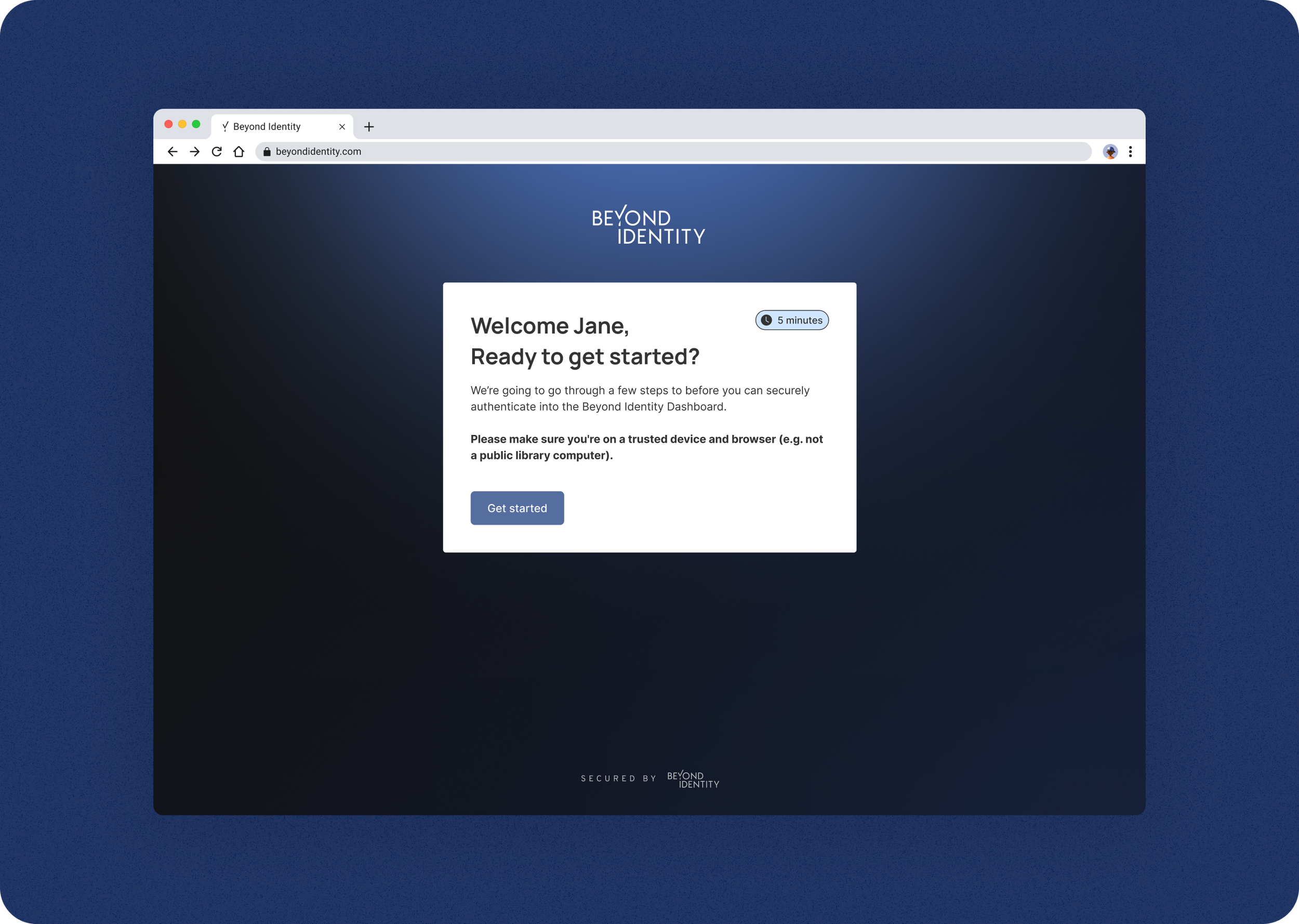
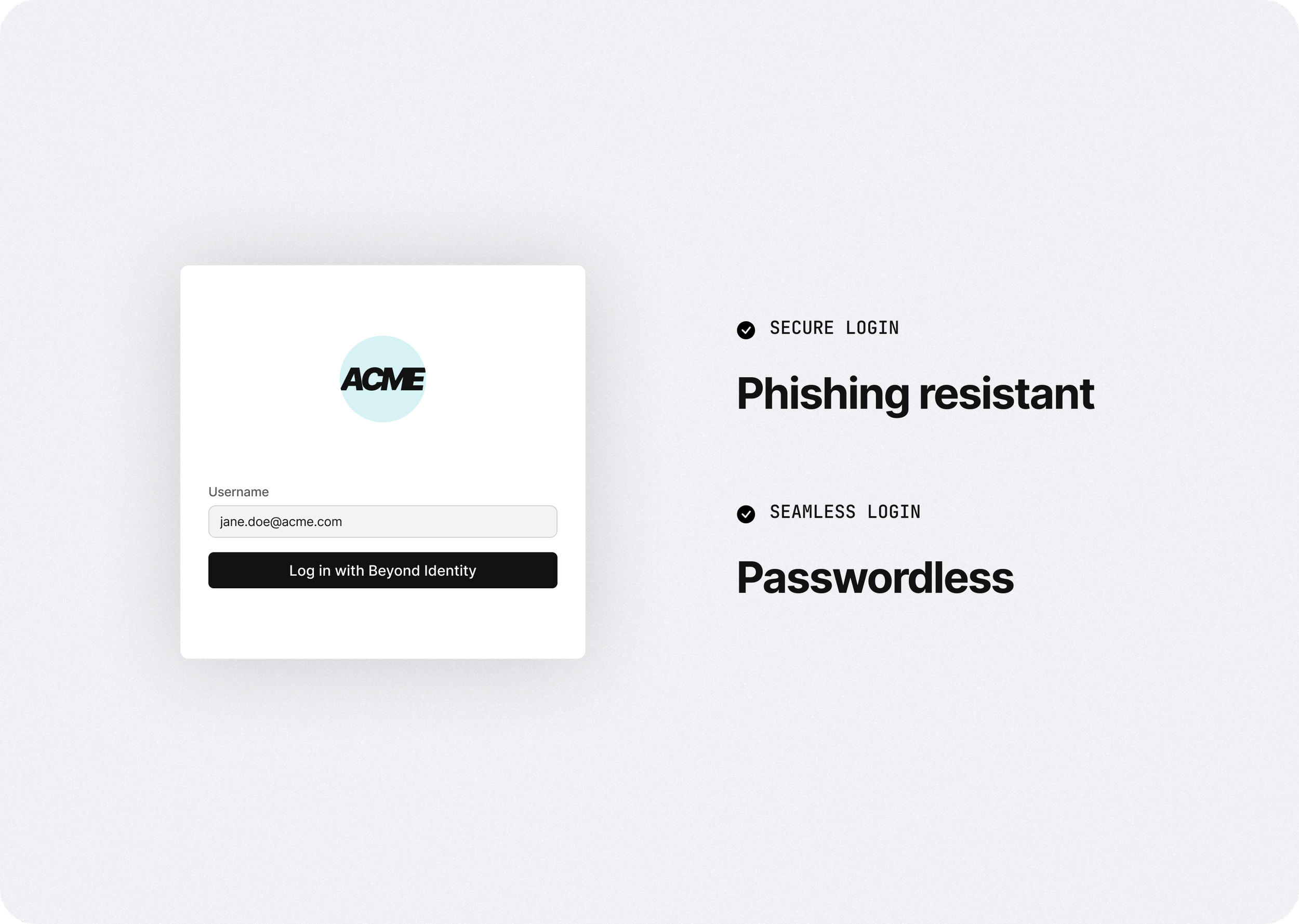
Customers purchase Beyond Identity for a more secure and seamless way to log into their work apps.
One of the biggest challenges was onboarding users or employees to use our solution. It was an extensive process for security reasons, so I worked to make this process as seamless as possible to improve deployment and engagement of our product.
Impact:
Onboarding success rates reached 85%
Improved customer satisfaction
PROBLEM
Onboarding users onto Beyond Identity was a friction point
IT and security teams wanted to implement our solution to their organization for better security; however, getting adoption of our solution was a challenge because users don’t want to change the way they log in.
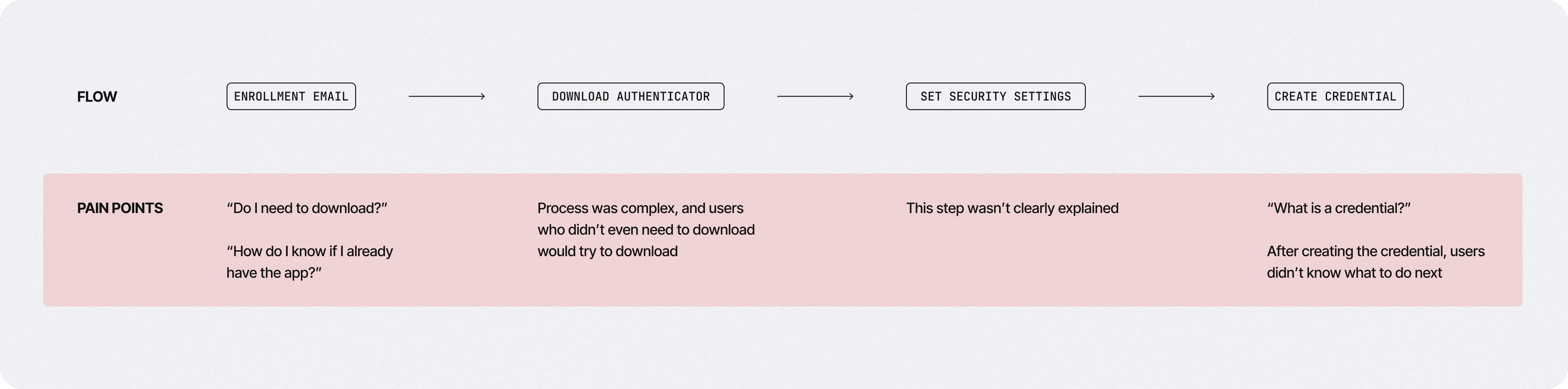
When users did try to onboard, they found it difficult to go through because we had a singe onboarding flow for all user types. This put too much burden on the users because they often didn’t know which path they needed to take, which caused drop-offs and heavy-lifting from the IT and security teams to get successful deployments.
Users
There are two main user groups we needed to consider
Although different customers had various user groups with specific use cases, you could boil it down to two main groups.
Full-time employees with managed corporate devices
Contract employees with unmanaged personal devices
What’s common across both user groups is that your main goal is to seamlessly log into your work apps so you can focus on doing your work.
What’s unique about contract employees is that they have a much more difficult onboarding process, and at enterprise companies, this can be a significantly sized group, so a poor user experience can have a big impact on overall productivity and satisfaction.

Designs
Authenticator App Detection
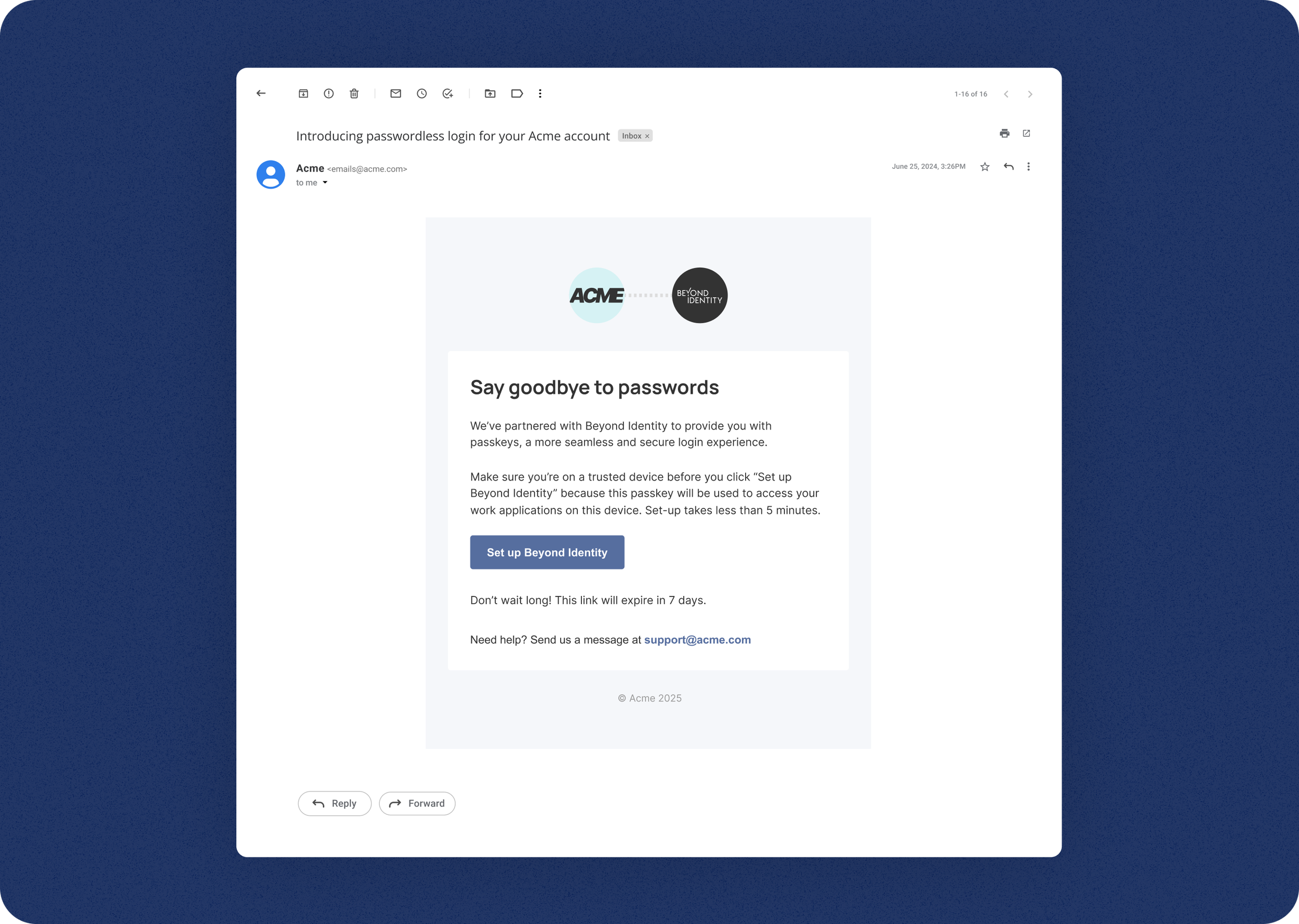
We had previously implemented a simple email to start the onboarding process to cater to both user types, but we learned that we put too much burden on the user to understand and identify which path they needed to take.
We decided to implement a way to detect whether a user had our authenticator app installed and take them down the path of downloading first or straight to creating a passkey. Although it was going to take a lot of work to implement this across all of our supported platforms (Windows, Mac, Android, iOS), we learned through feedback that this significantly improved the onboarding process and was worth the engineering effort.
Designs
Download & Install Instructions
The most complicated onboarding process was for the contractor user using their personal device to do their work. Because the IT team didn’t have admin privileges on that user’s device to auto-install our authenticator application and passkey, the user had to go through that process themselves.
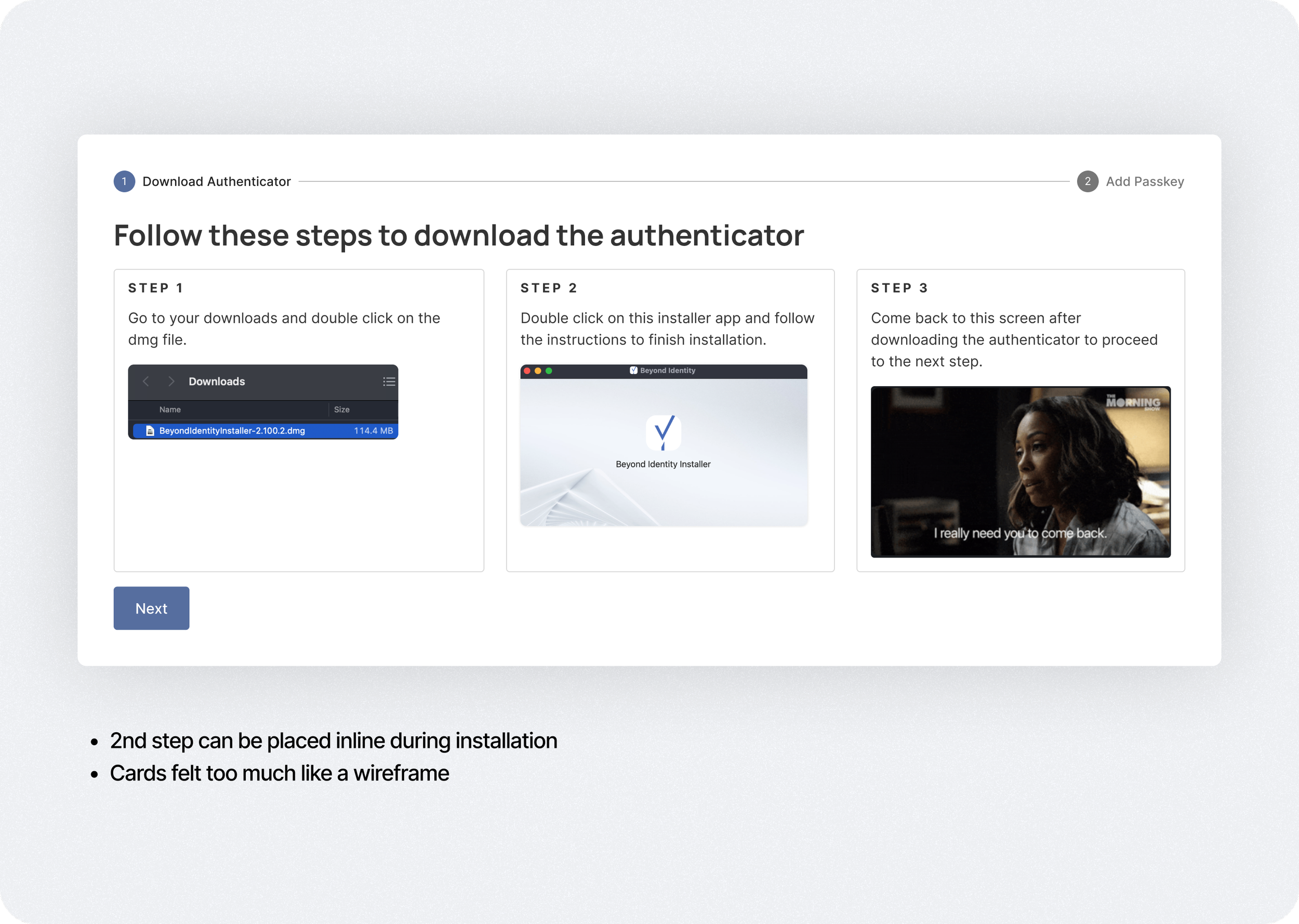
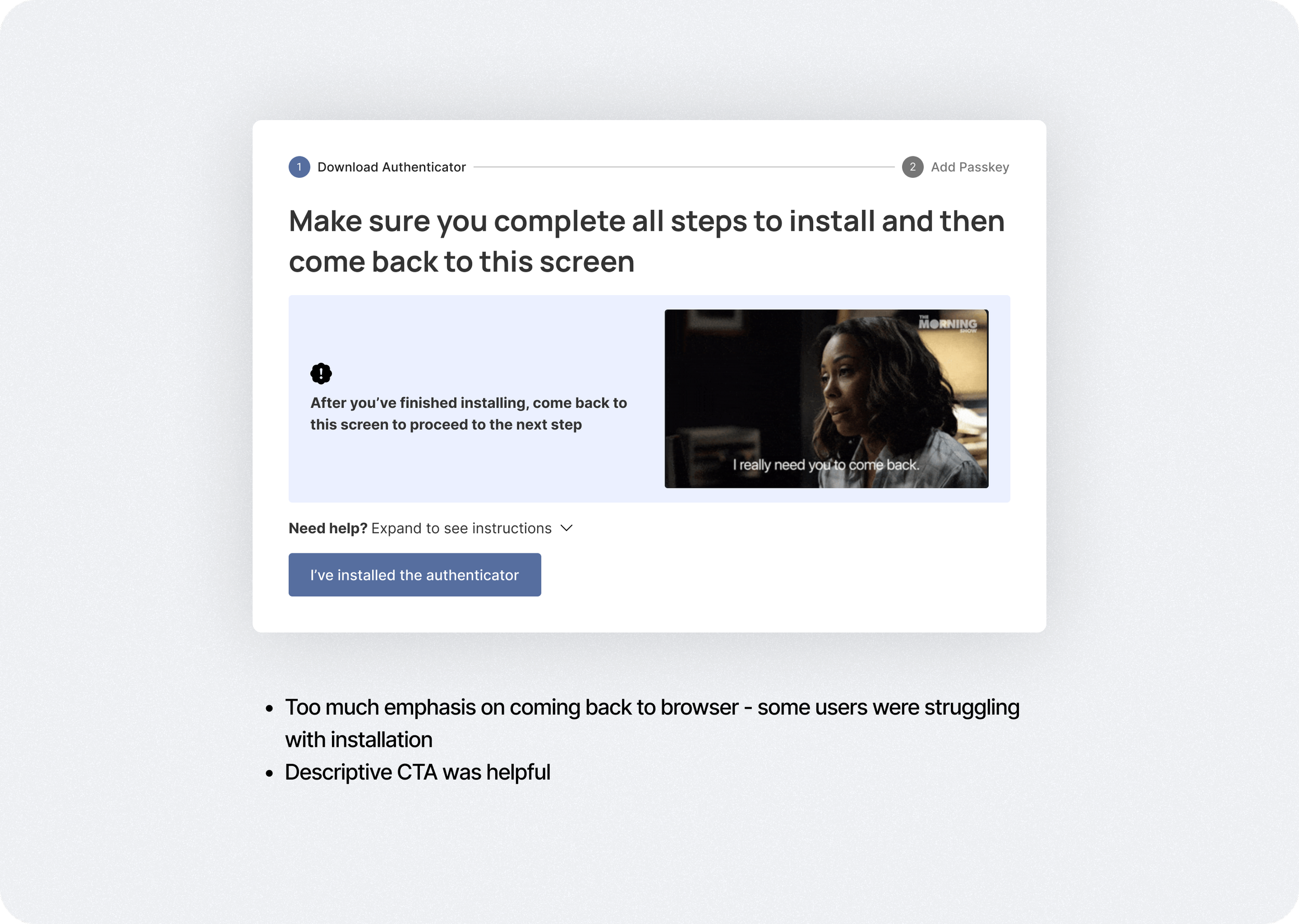
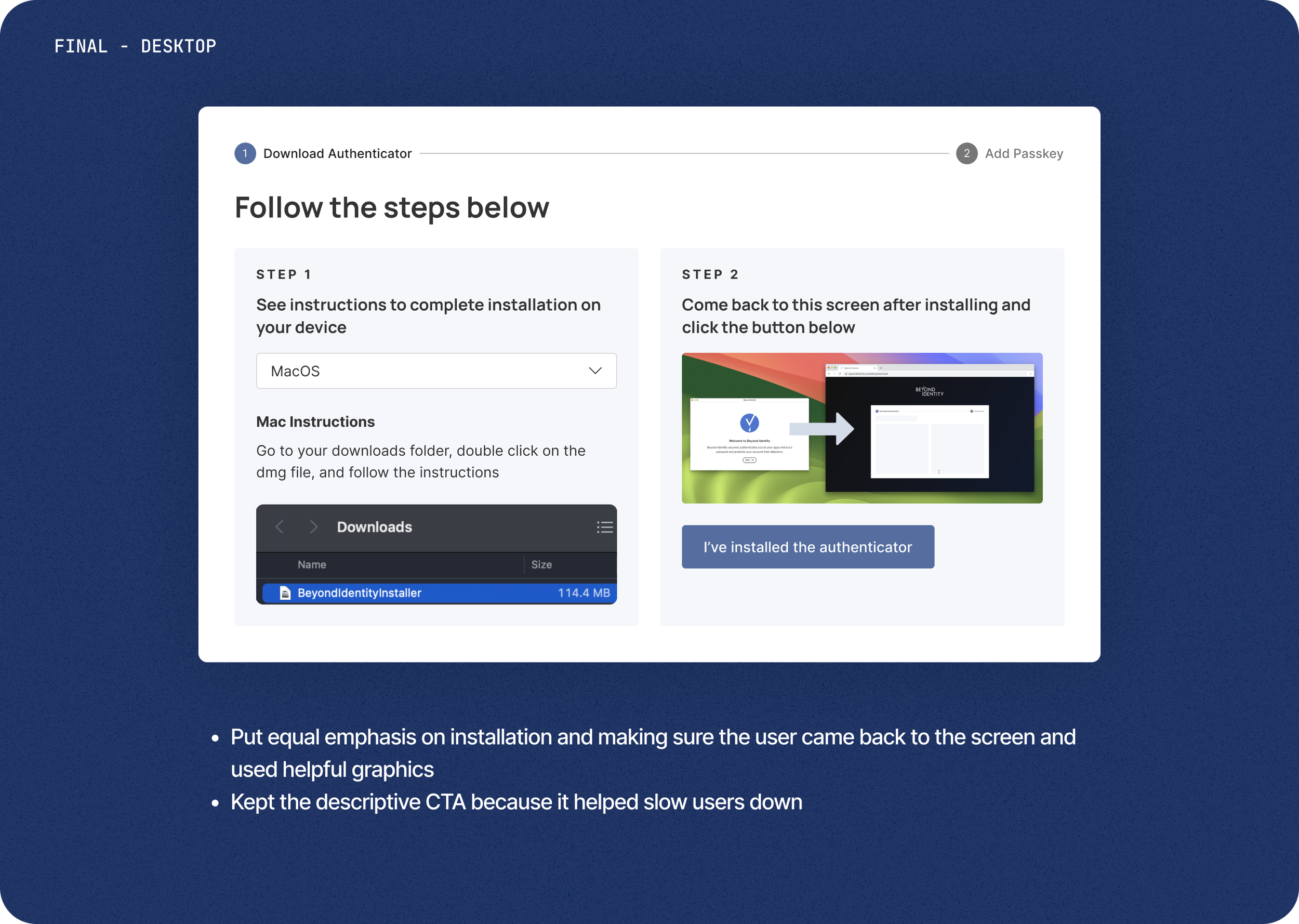
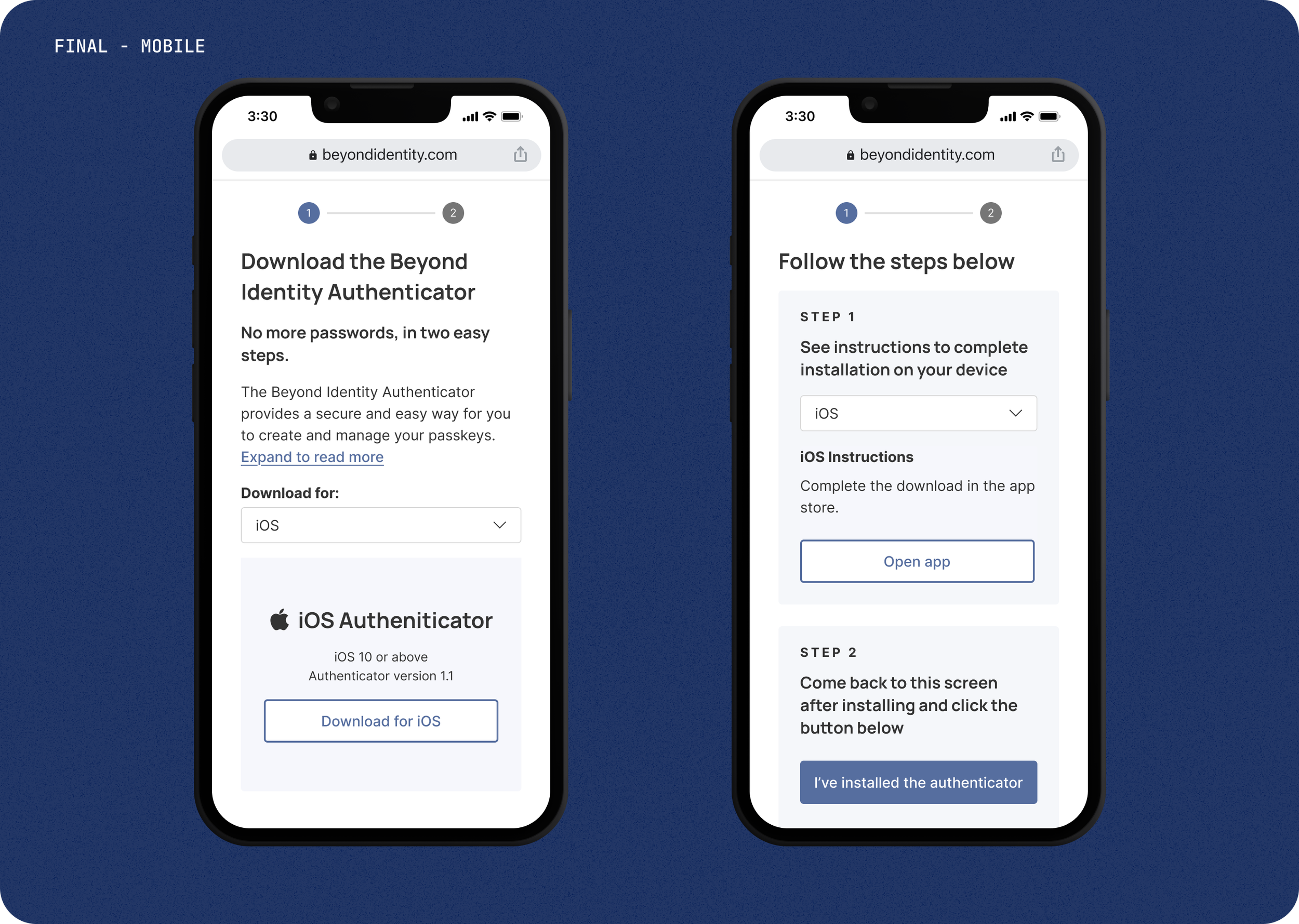
design
Additional Settings for Security
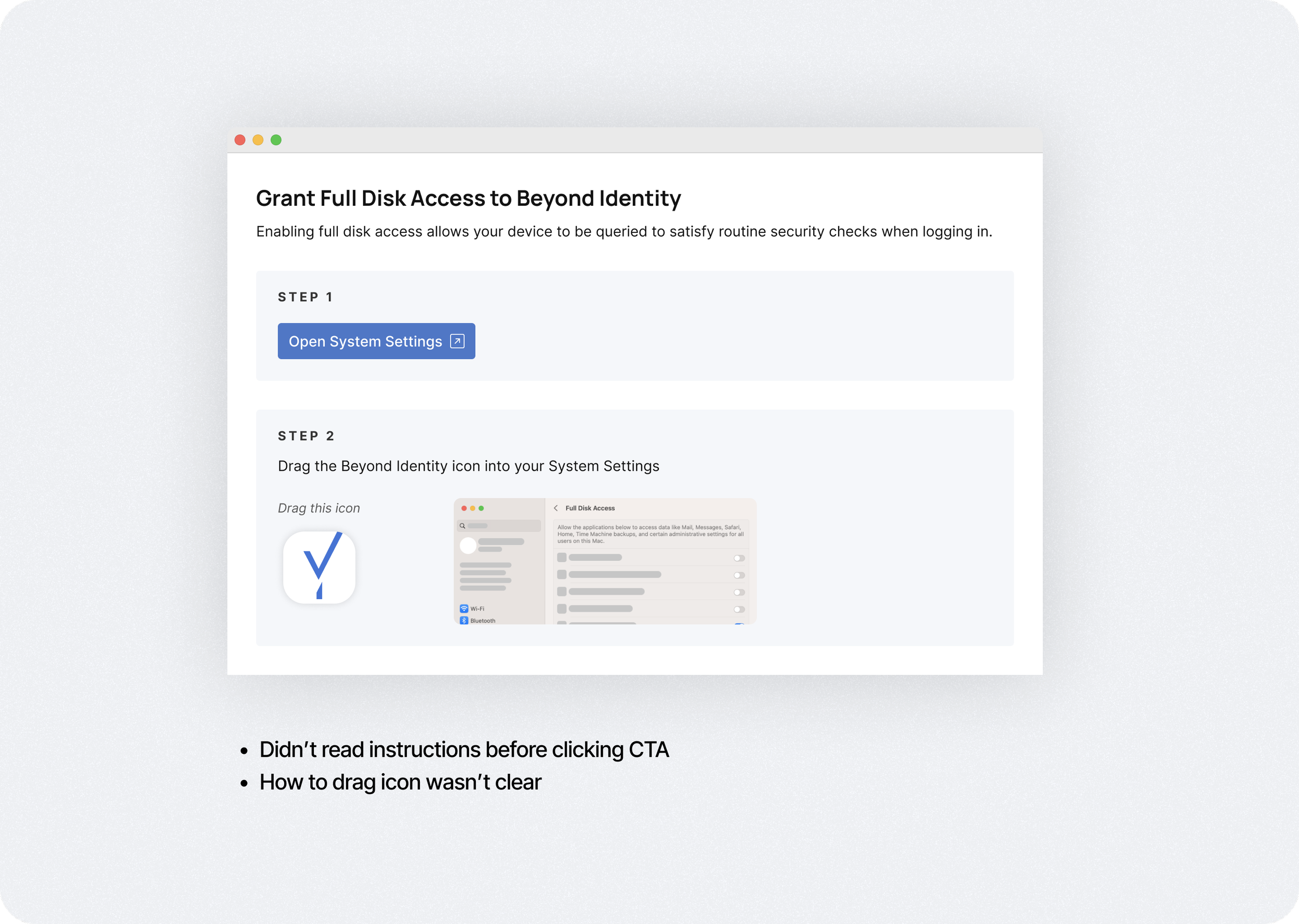
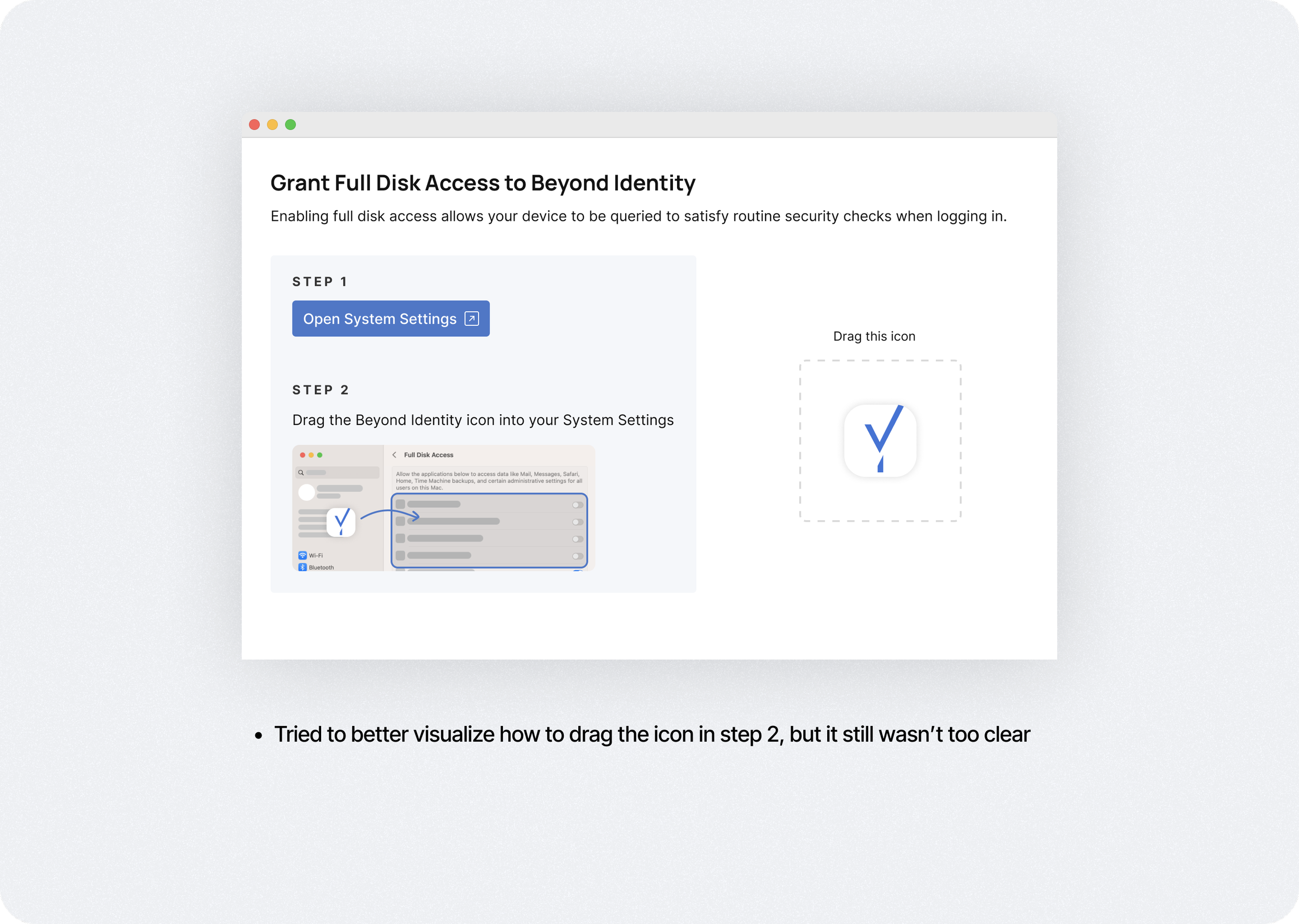
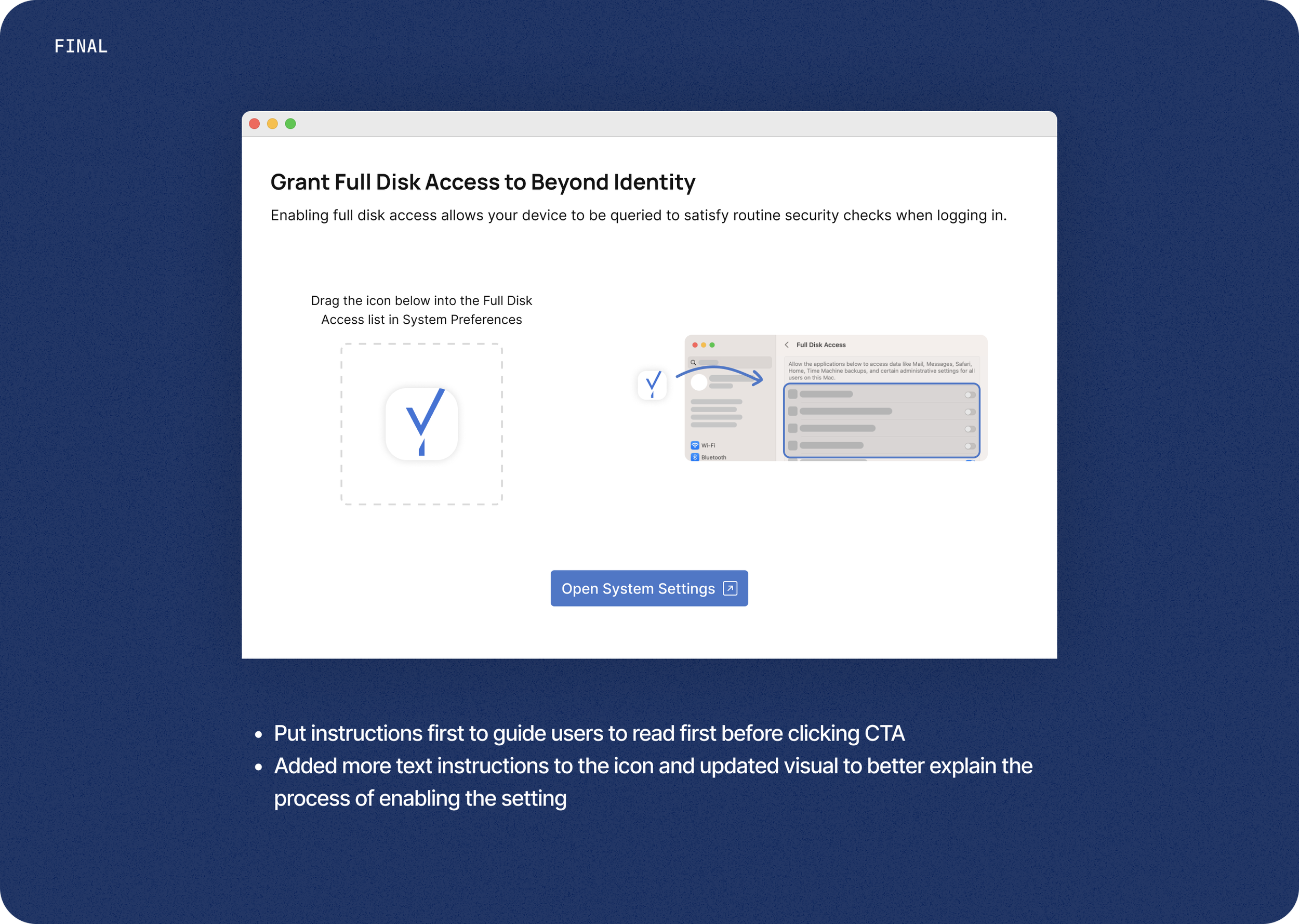
There were additional settings that the user needed to enable for security purposes, which added another step to an already long process. We iterated different versions to make this step as seamless and easy to understand as possible.
Design
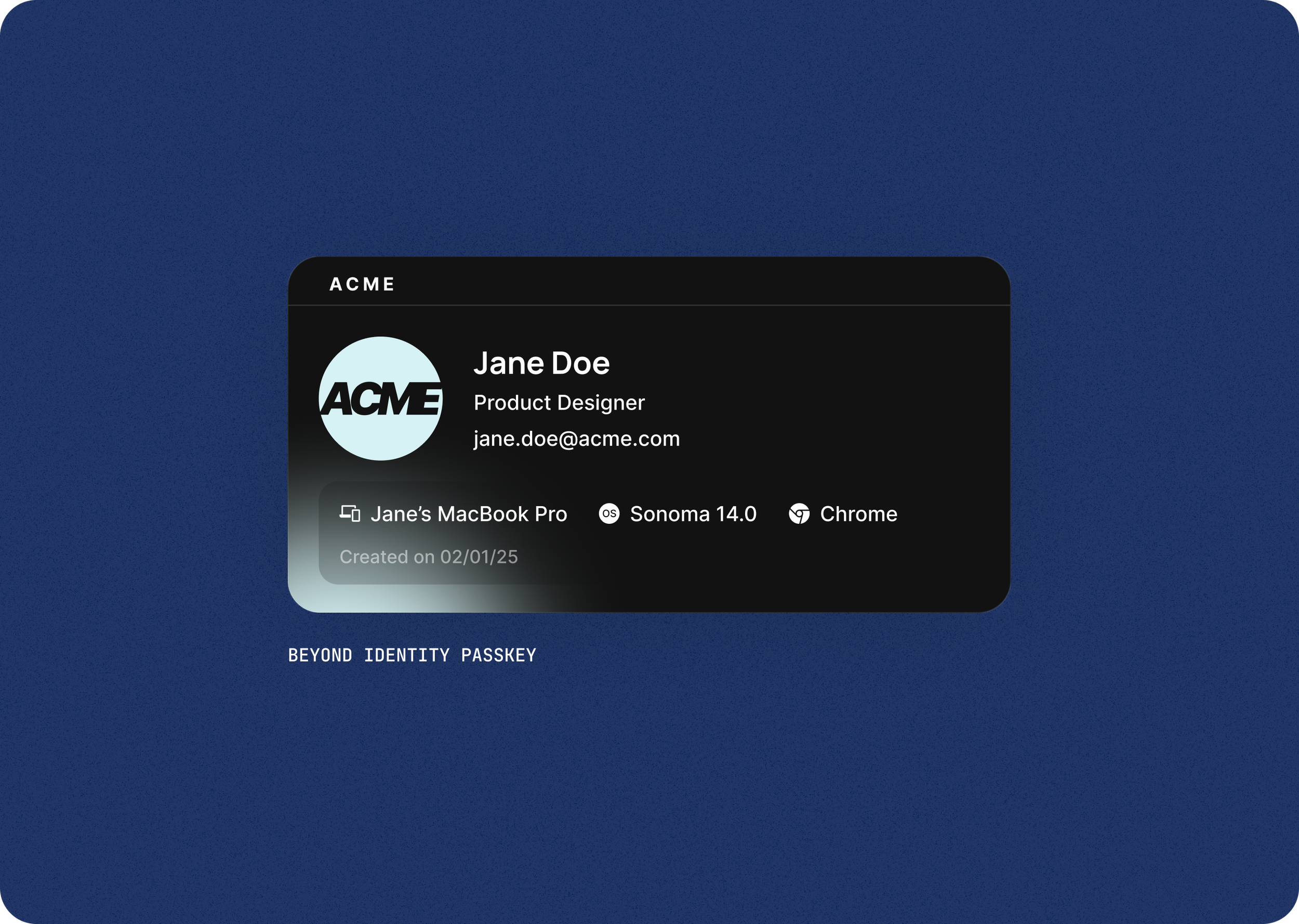
Visualizing the Passkey
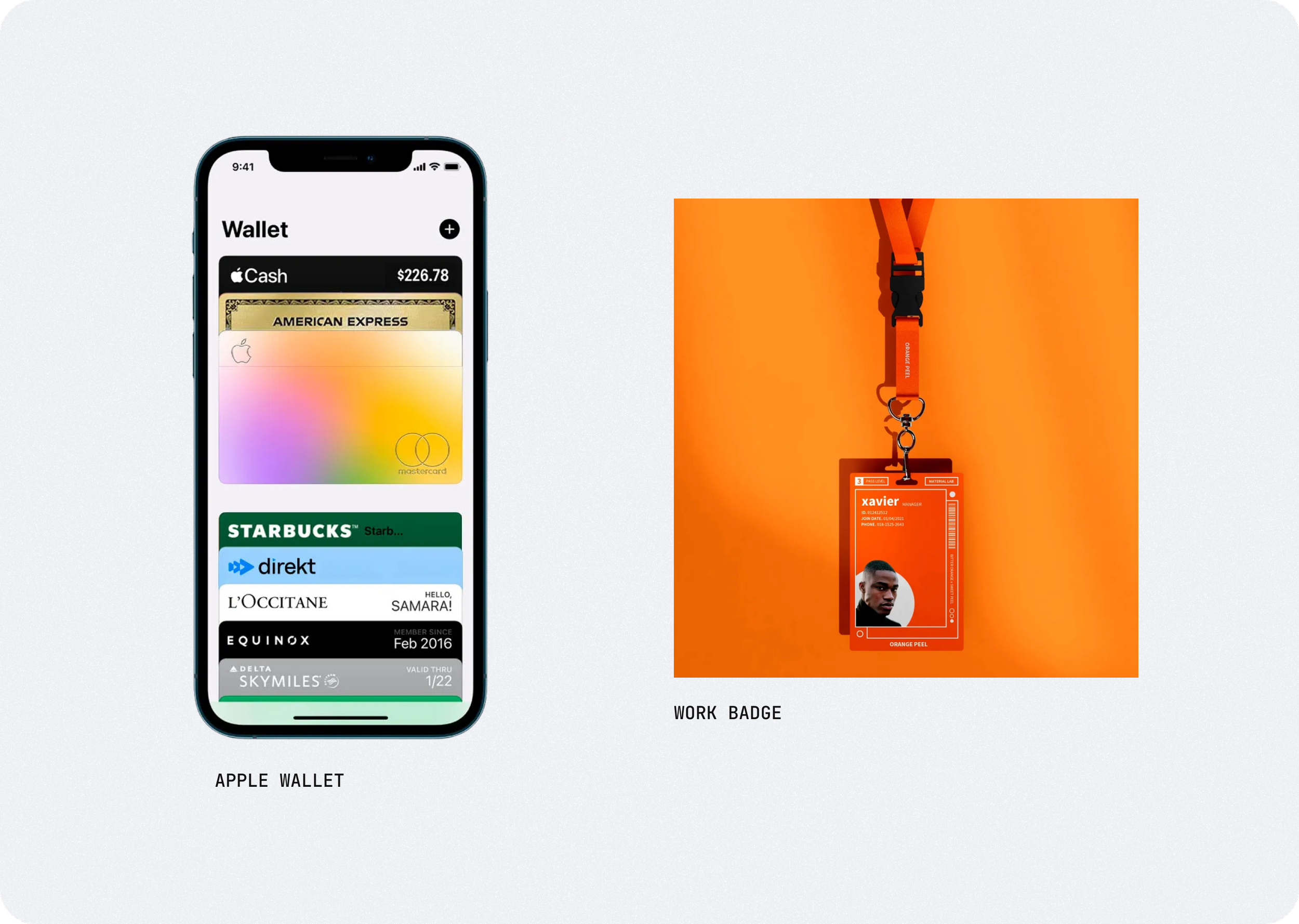
Although we’re seeing more companies implementing passkeys, it’s still a relatively unfamiliar concept to most users. To help educate users and to show our unique approach to passkeys, we decided rename our “credential” to the more common “passkey” and visualize it.
We took inspiration from credit card wallets and company badges and landed on a card concept to show what a passkey is, what it can log you into, and what device it’s for.
results & learning
Launch Challenges & Early Metrics
When we initially launched the experience, we had run into issues with app detection, so I spent significant time with QA and engineering to troubleshoot and test, making sure the experience was seamless across every platform. We tracked some customer deployments and were able to achieve high onboarding completion rates for both user types.